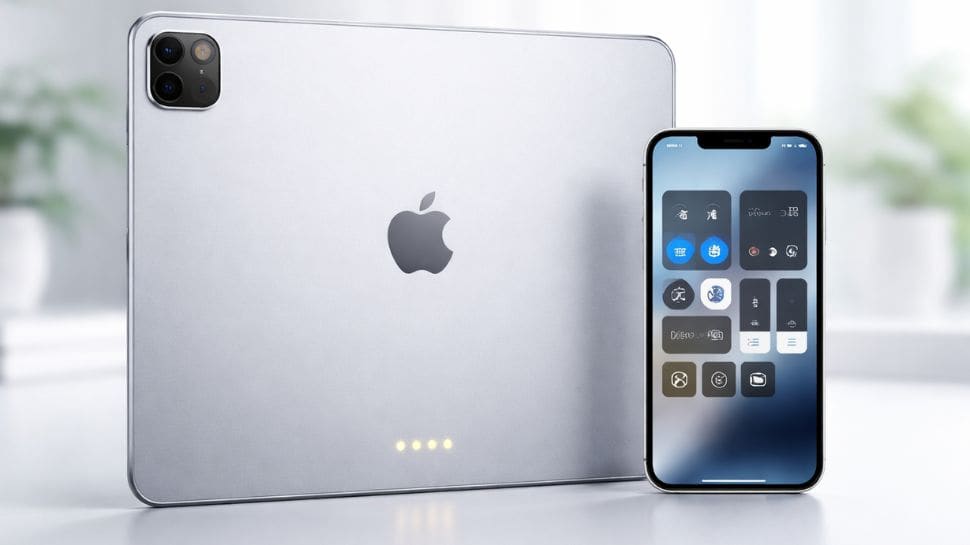
What the three dots on your Apple's iPad mean and how to control iPad with your iPhone
Zee News
Apples iPad 3 Dots On Back: The iPad Pro was the first model in Apples lineup to feature this connector, along with the Smart Keyboard.
Apple's iPad 3 Dots On Back: If you’ve recently picked up Apple’s new iPad, you might have noticed three tiny dots placed neatly on the back or along the side of the device. At first glance, they may look like part of the design or even small vents, leaving many users curious about their purpose. Interestingly, almost every modern iPad model features them, except the iPad mini.
Apple did not add these dots randomly. They serve a specific and practical purpose, enhancing how the device works with other tools. While they may seem small and easy to overlook, these three dots play an important role in expanding what your iPad can do. In this article, we will explain why these tiny dots are placed neatly on the back or along the side of Apple’s iPad.
Apple designed the iPad to work instantly with keyboard accessories as soon as they are attached. The three small pins transfer both power and data, so there is no need for separate charging or pairing. These three dots are officially called the Smart Connector, which Apple introduced in 2015 alongside the 12.9-inch iPad Pro.
The iPad Pro was the first model in Apple's lineup to feature this connector, along with the Smart Keyboard. Since then, every iPad Pro model, including last year’s M5 iPad Pro, has included the three-dot connector.
In 2019, Apple expanded Smart Keyboard support to the iPad Air (3rd generation), adding the same connector to the Air lineup. All newer iPad Air models support Smart Connector accessories. The standard iPad models also received Smart Keyboard support in 2019, and recent base models include the three dots as well, though they are positioned on the side.


Many parents believe eye problems only affect adults or can wait until symptoms appear. Experts reveal why these assumptions can silently harm a child’s learning, confidence, and long-term development.

Overeating chocolates on Chocolate Day is common, but it doesn’t mean you have to stress about calories or sugar. With a few simple lifestyle changes, you can easily balance your calorie intake and reduce excess sugar in a healthy way.

Teddy Day 2026: Teddy Day adds a soft, comforting touch to Valentine’s Week by celebrating love through warmth and innocence. Observed as the fourth day of Valentine’s Week, Teddy Day 2026 is all about affection, reassurance, and emotional closeness.

These techniques will help one focus better, have a better memory, and be balanced emotionally when implemented on a regular basis.

Undeterred by rejections and barriers, he persisted, starting off by assisting senior producers and directors to learn the ropes of film-making.

Interstellar comet 3I-ATLAS is a rare cosmic visitor that may be older than our Sun, offering scientists a unique glimpse into the early Milky Way. Its ancient origins and unusual composition could help unlock secrets about the formation of stars and planets.

These techniques will help one focus better, have a better memory, and be balanced emotionally when implemented on a regular basis.

The Realme P4 Power runs Realme UI 7.0 based on Android 16, promising three years of OS updates and four years of security patches. Meanwhile, the OnePlus Nord CE5 5G ships with OxygenOS 15 based on Android 15.

Google Android Phone Security: Samsung and Google Pixel have announced that they will provide security updates for more than seven years on their devices.

Google Android Phone Security: Samsung and Google Pixel have announced that they will provide security updates for more than seven years on their devices.

India AI Impact Summit 2026: The seven Chakras are Human capital, Inclusion for social empowerment, Safe and trusted AI, Science, Democratising AI resources and more.

In a developing country like India, there are parts of states with limited access to diagnostic testing and probably less availability of health education and medical facilities that could have helped recognize symptoms earlier.

India AI Impact Summit 2026: The seven Chakras are Human capital, Inclusion for social empowerment, Safe and trusted AI, Science, Democratising AI resources and more.